Find PO in Paw
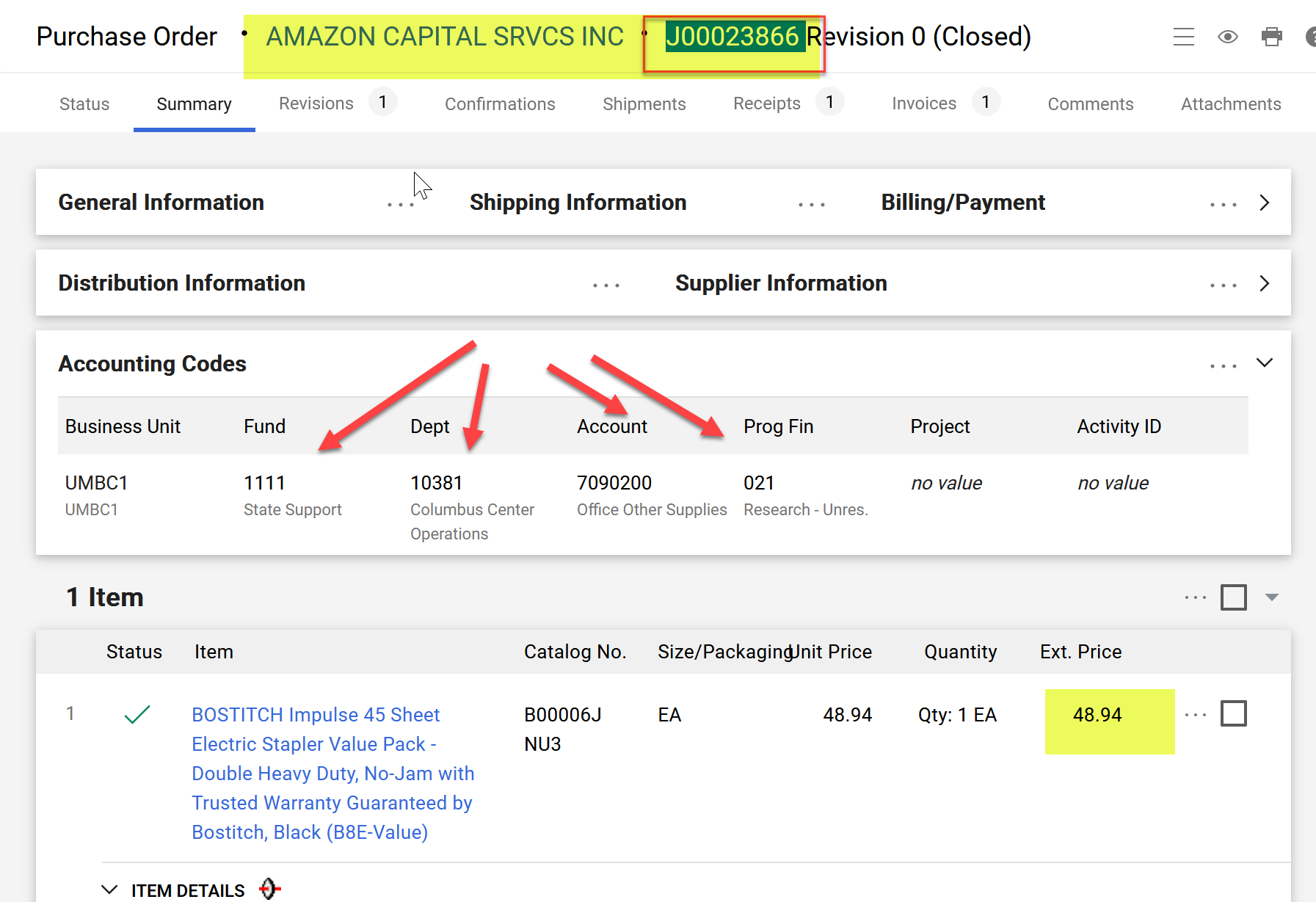
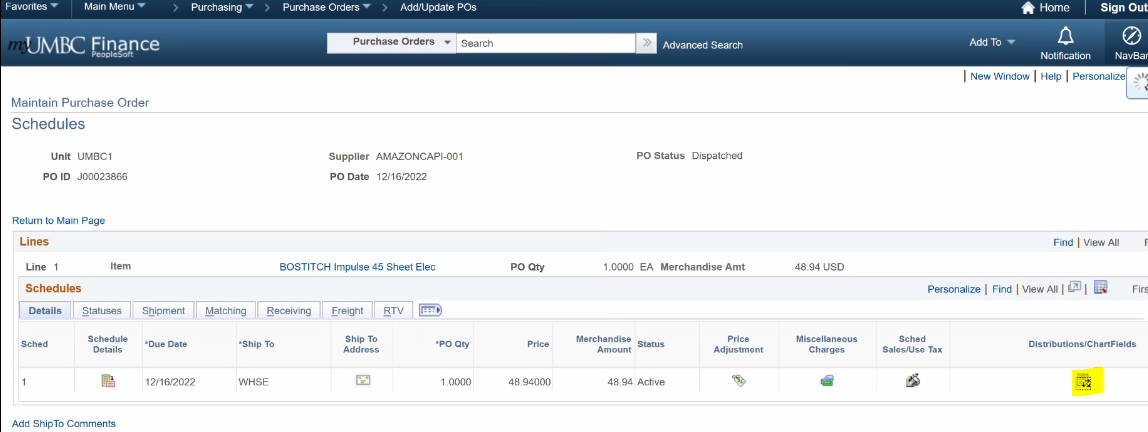
Find PO in PS. Go to distribution icon in Add/update POs
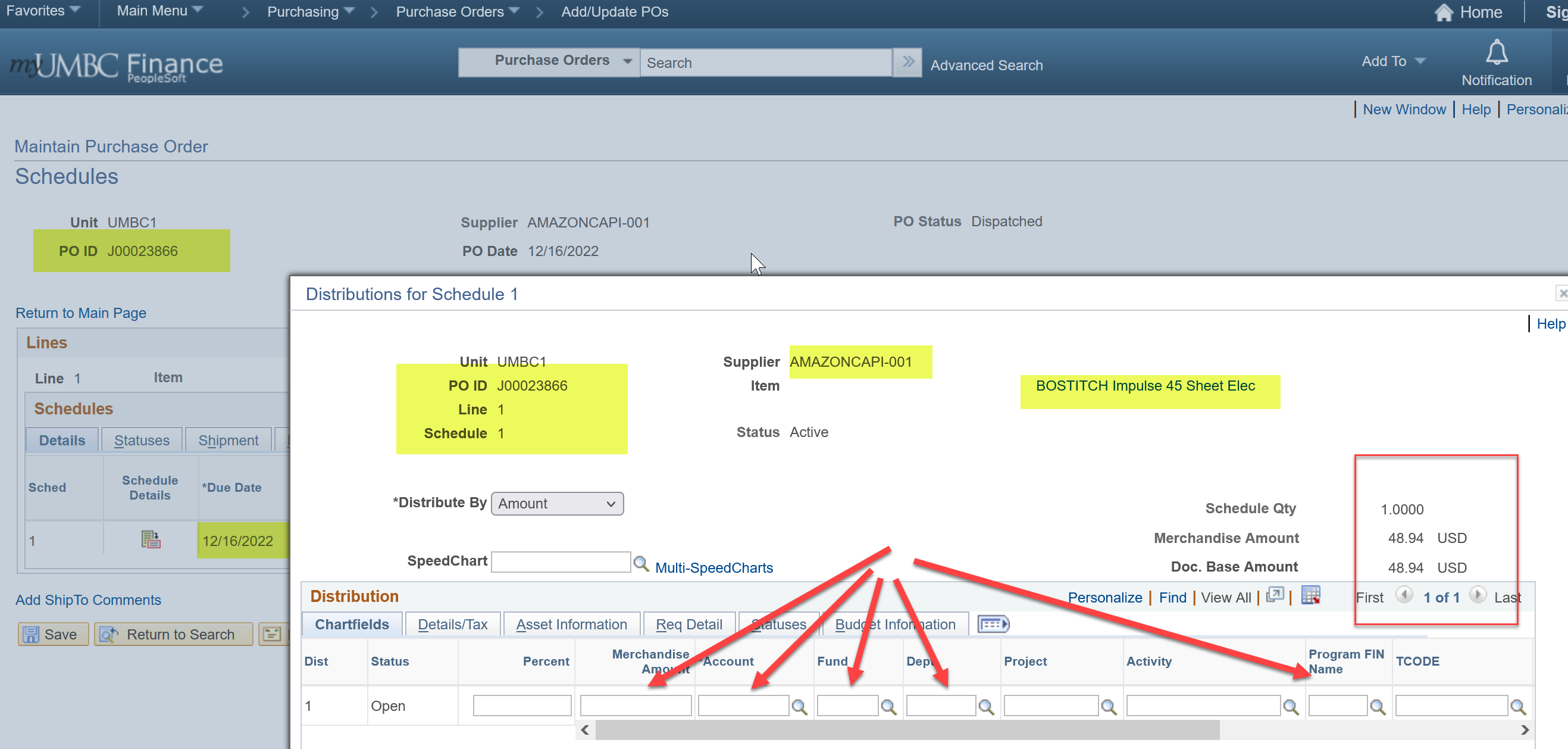
Fill in Chartstring Info from PAW
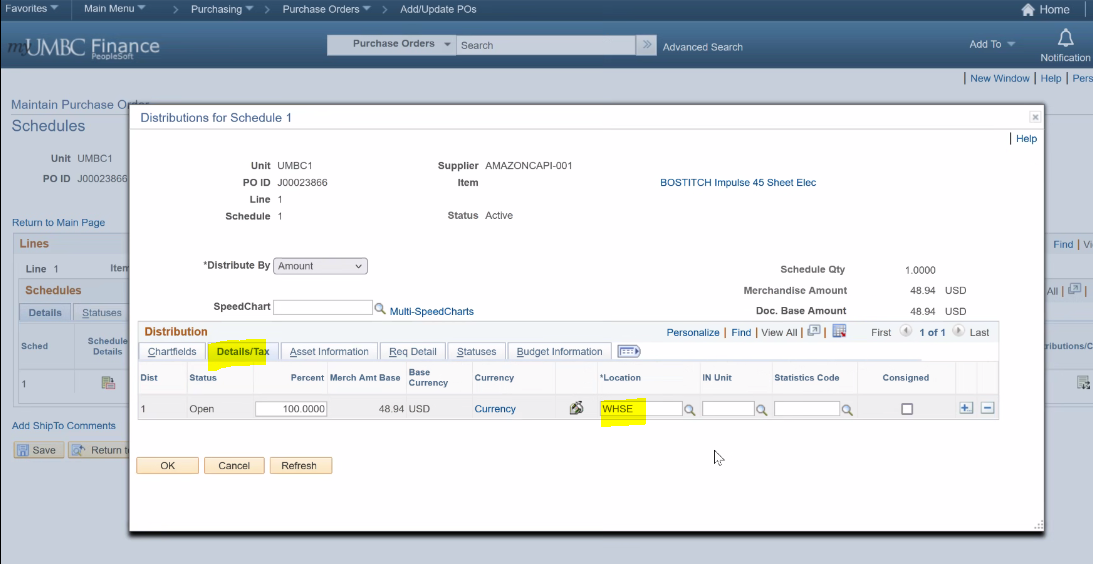
Go to Details/Tax tab and fill in WHSE for location.
Run budget check process

Close POs through the Buyer’s WorkBench – Procurement
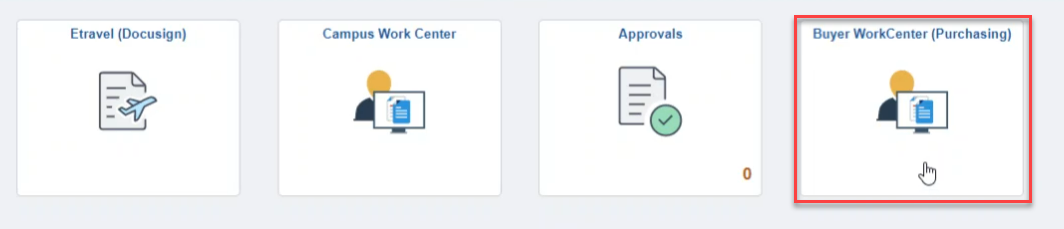
Go to the Buyers WorkCenter (also accessible from Campus Work Center)
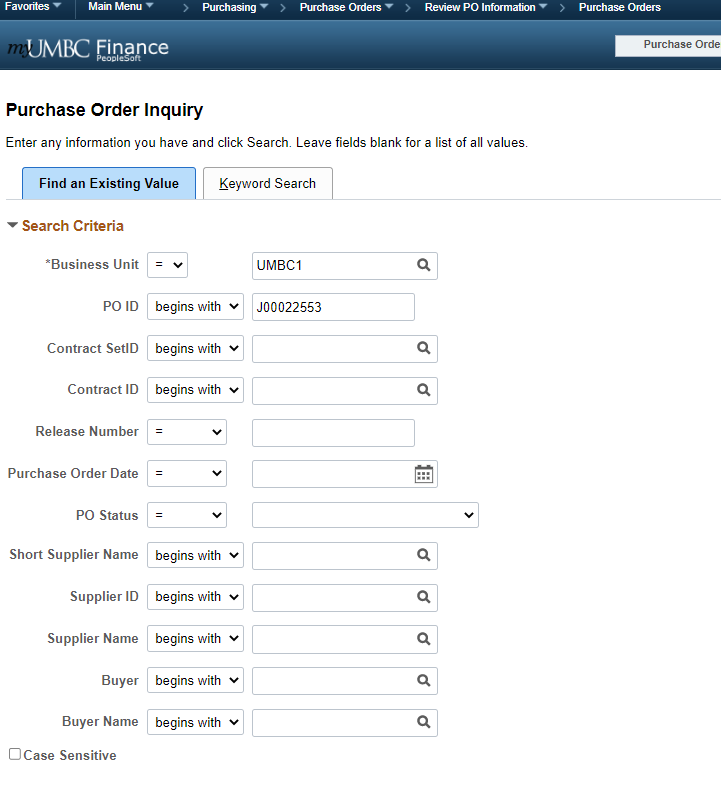
Go to the Purchase order inquiry Purchasing > Purchase orders > Review PO information> Purchase orders
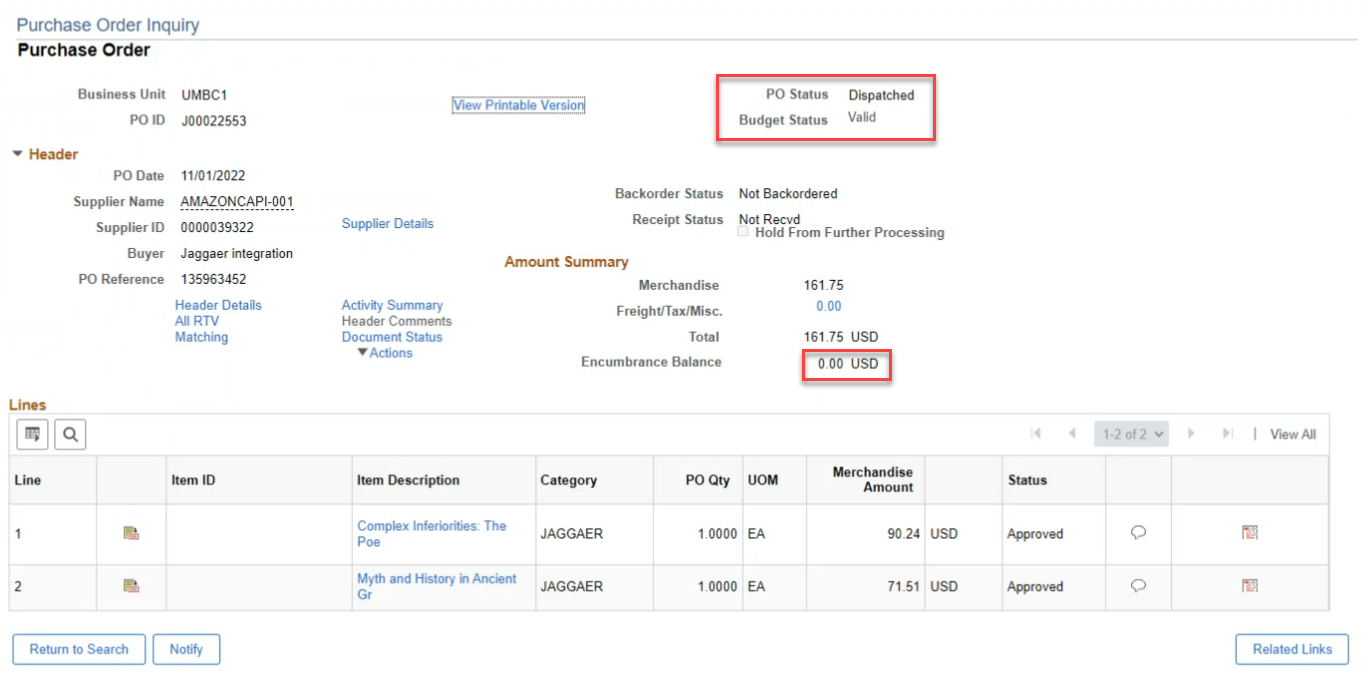
Search for the PO in question. Check that the PO is dispatched and encumbrance is 0.
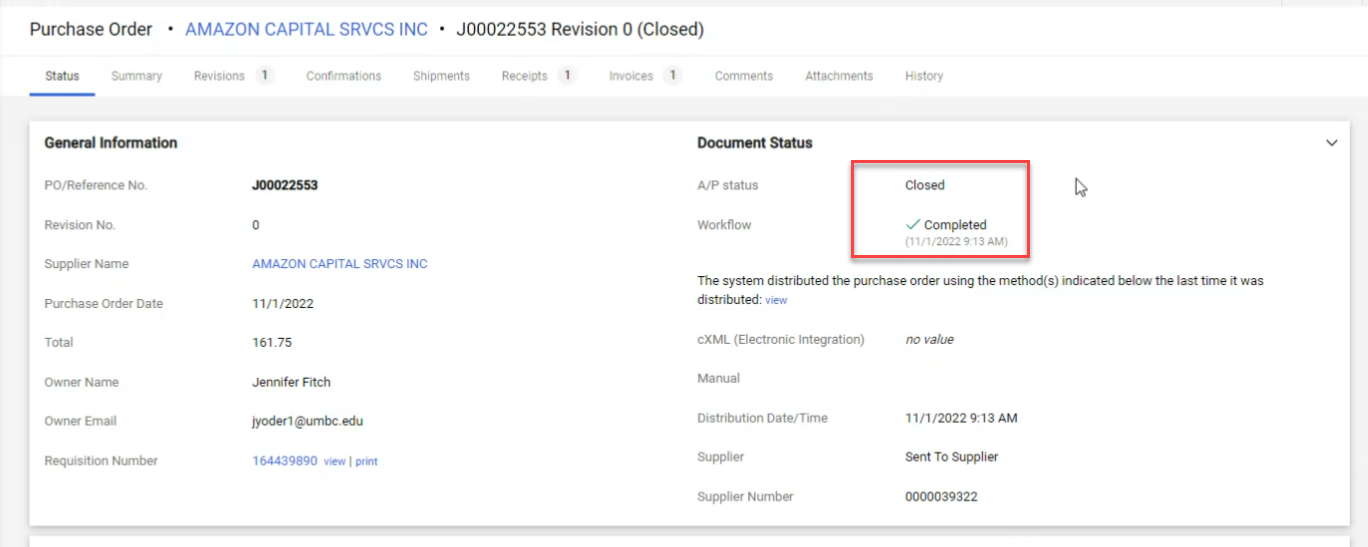
Go to Paw and check its status
Navigate to the Buyer’s Workbench (Purchasing>Purchase Orders> Buyer’s Workbench)

Use the CloseJagPO run control
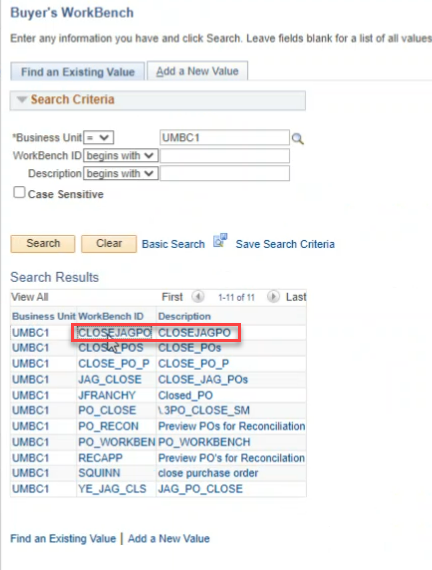
Enter the PO ID, make sure “Open Encumbrances” is unchecked or it wont come up in the search
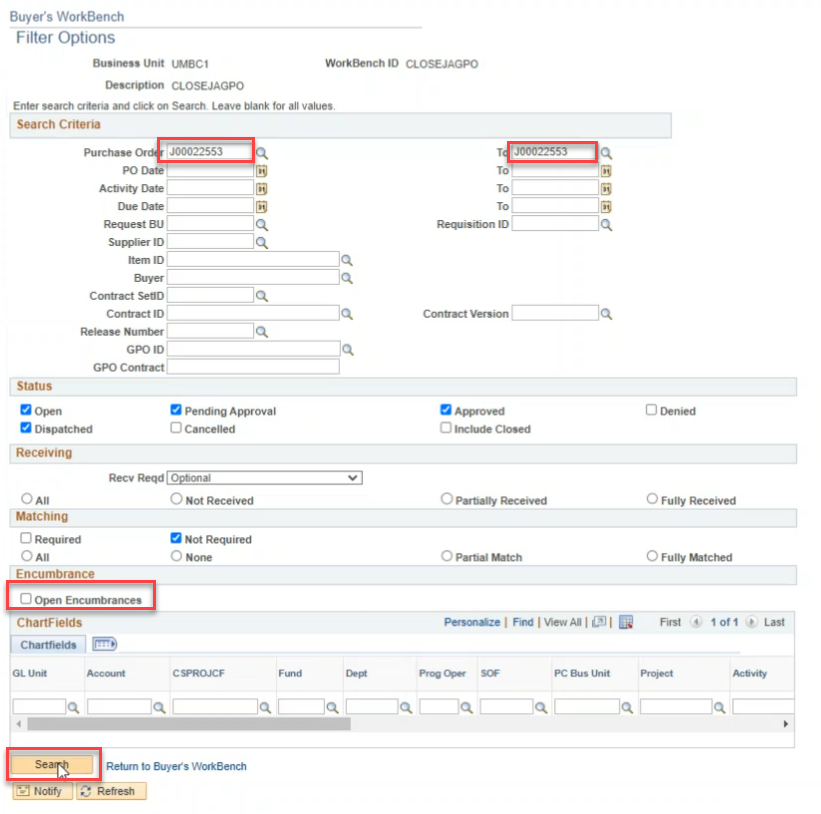
Select PO and close

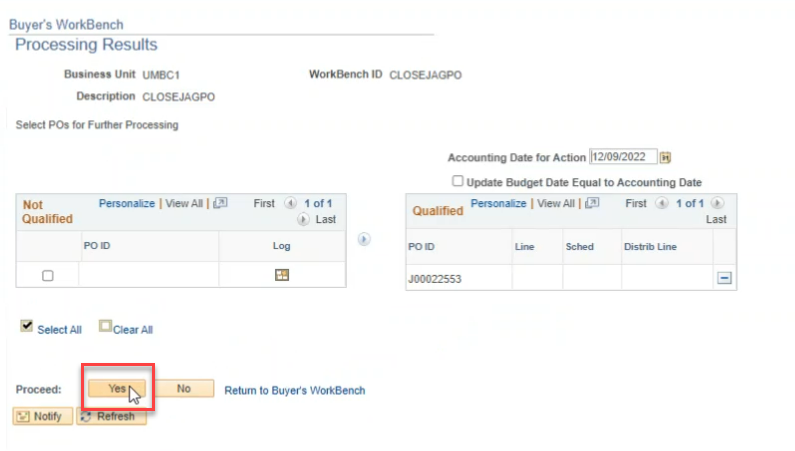

PO status is now complete. Move to “Other” tab to view Budget Status

Process Budget Check


Navigate back to PO inquiry to confirm changes

