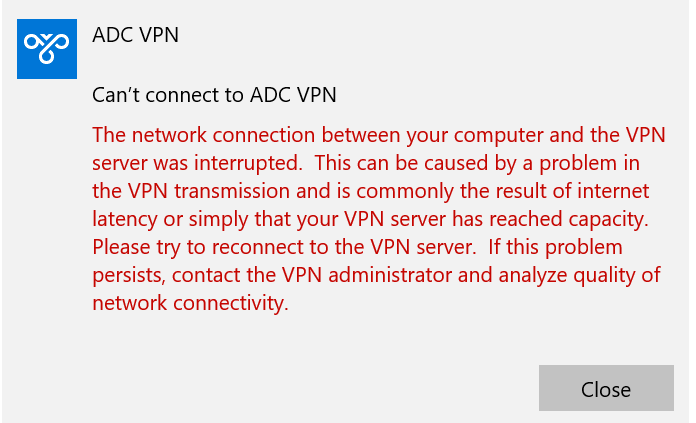
This seems to be a connectivity problem that will resolve itself, usually within 30 mins
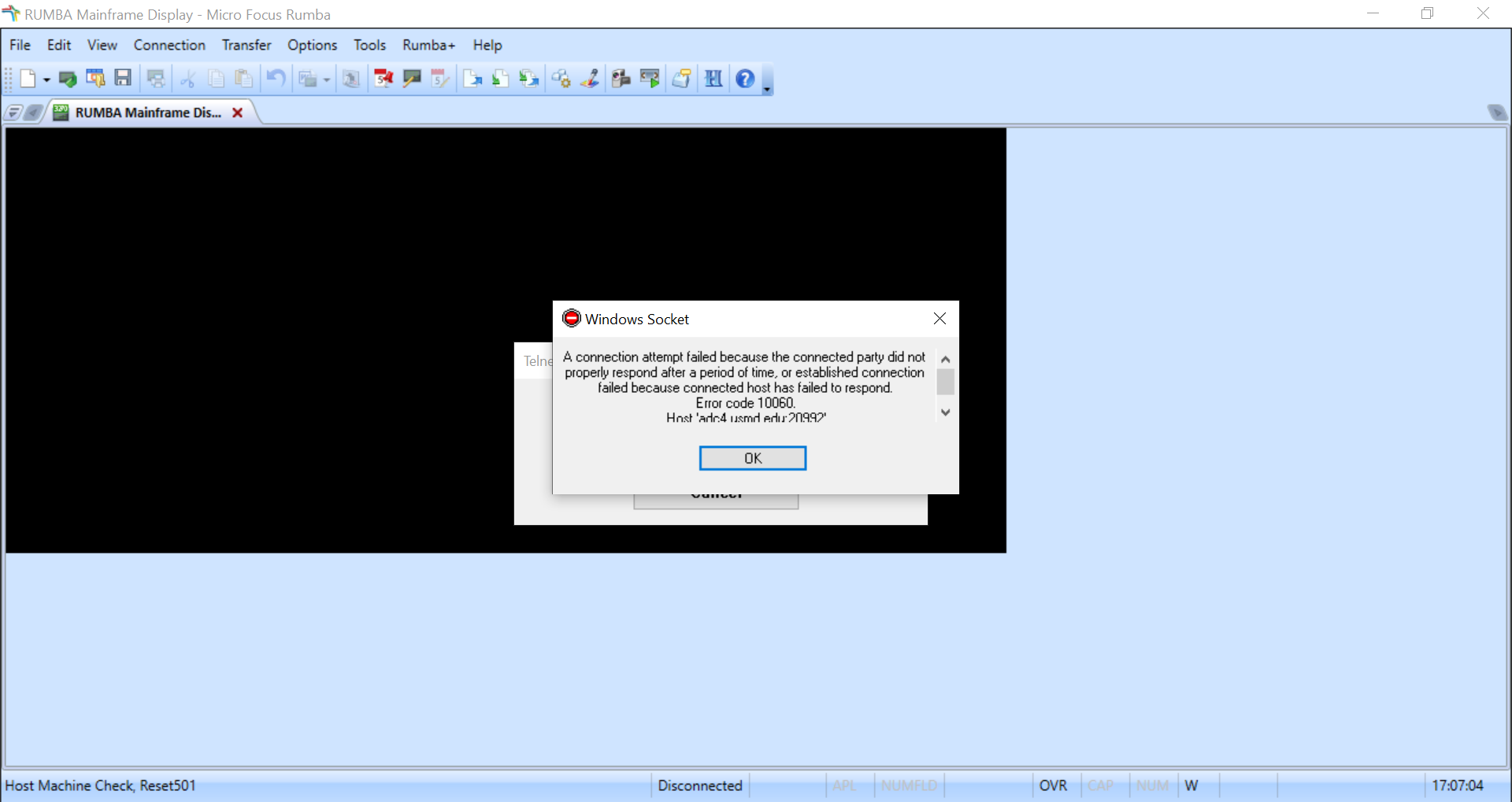
To use Rstars, you cannot be on the Global Protect VPN before connecting to the ADC VPN. The connection will time out giving the error below without giving the error message that usually comes before connecting.
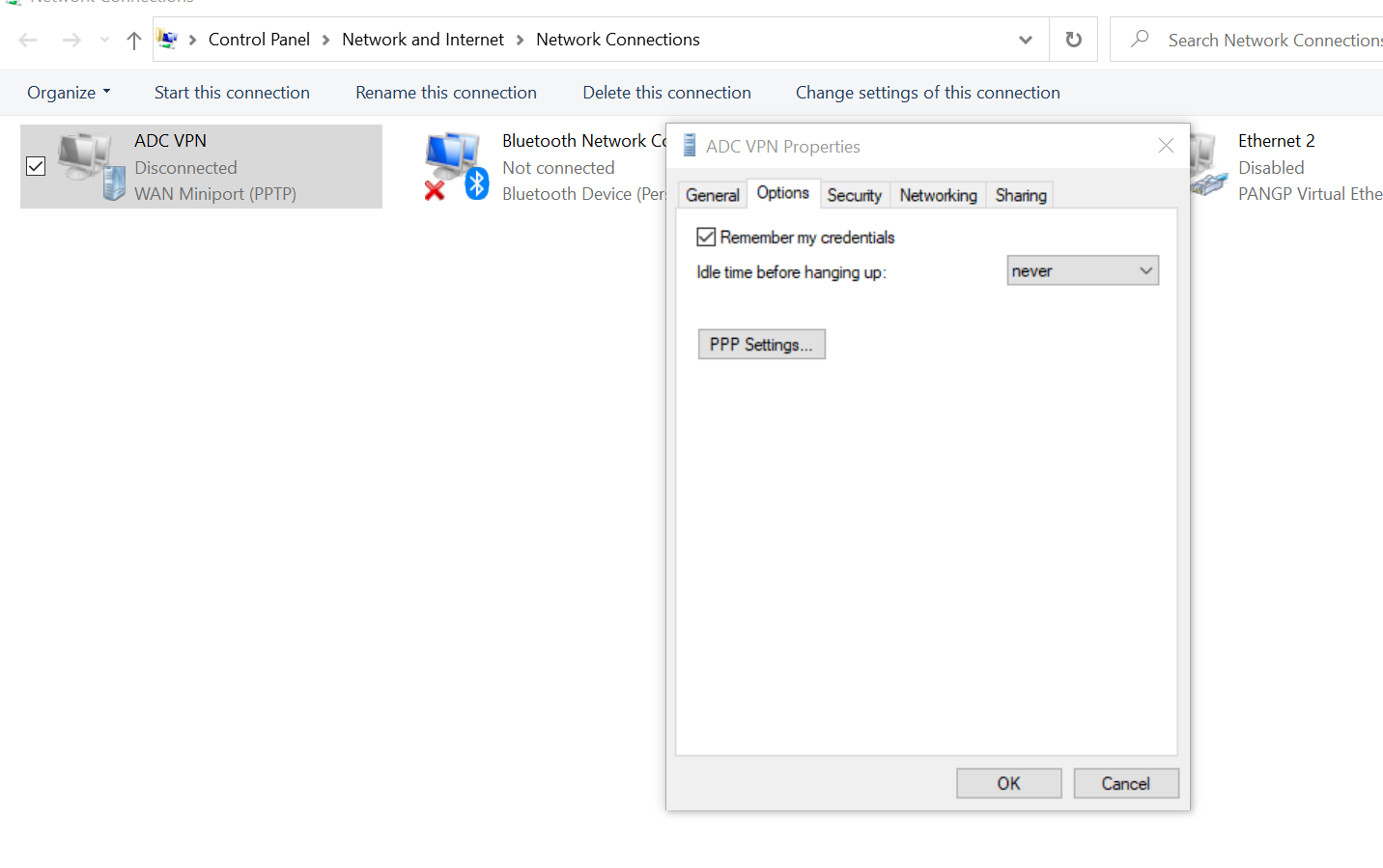
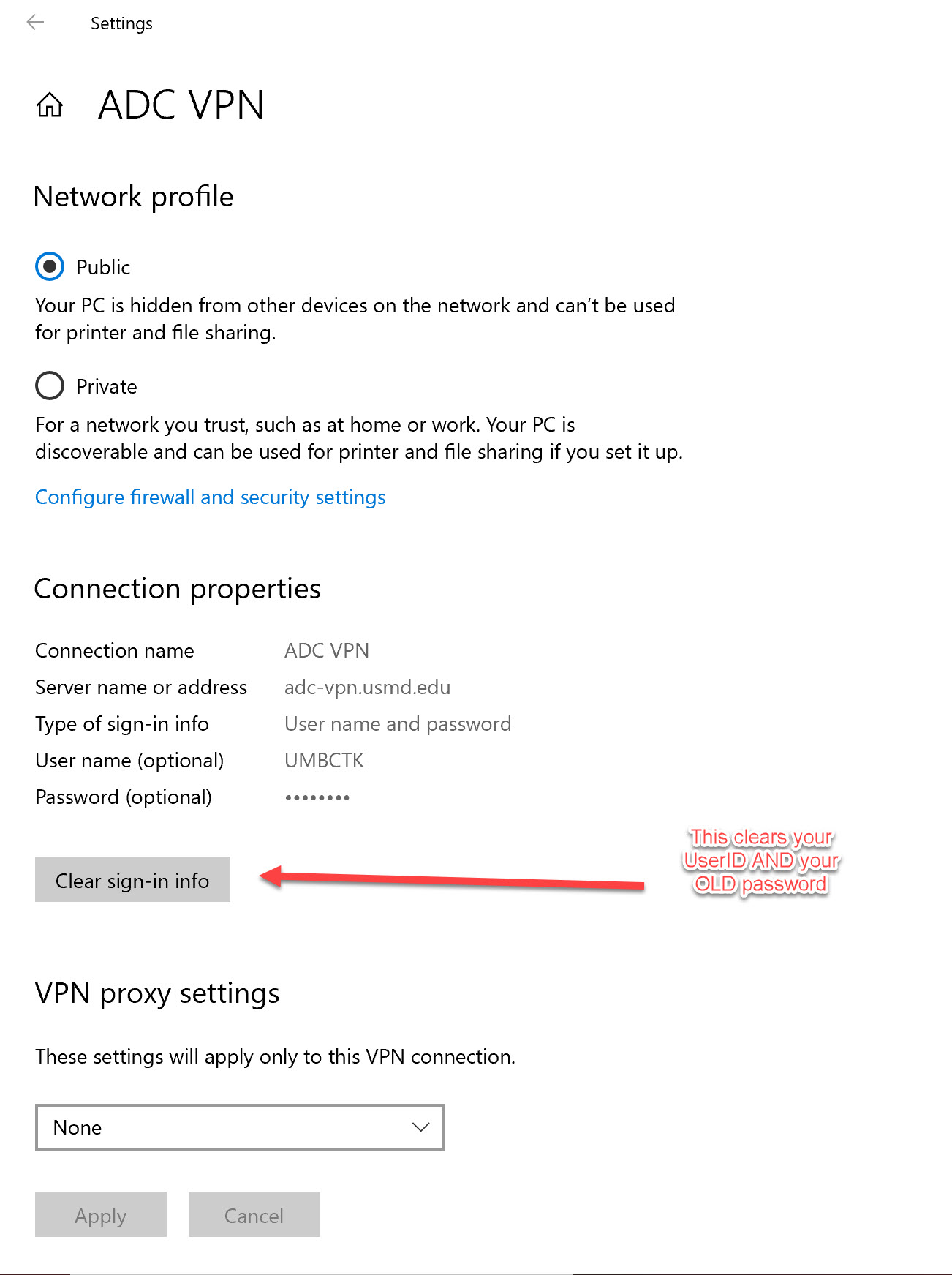
Control panel> Network and Internet> Network Connections> right click ADC VPN select properties> options tab >unselect remember credentials and sign in and come back and reselect to save new password
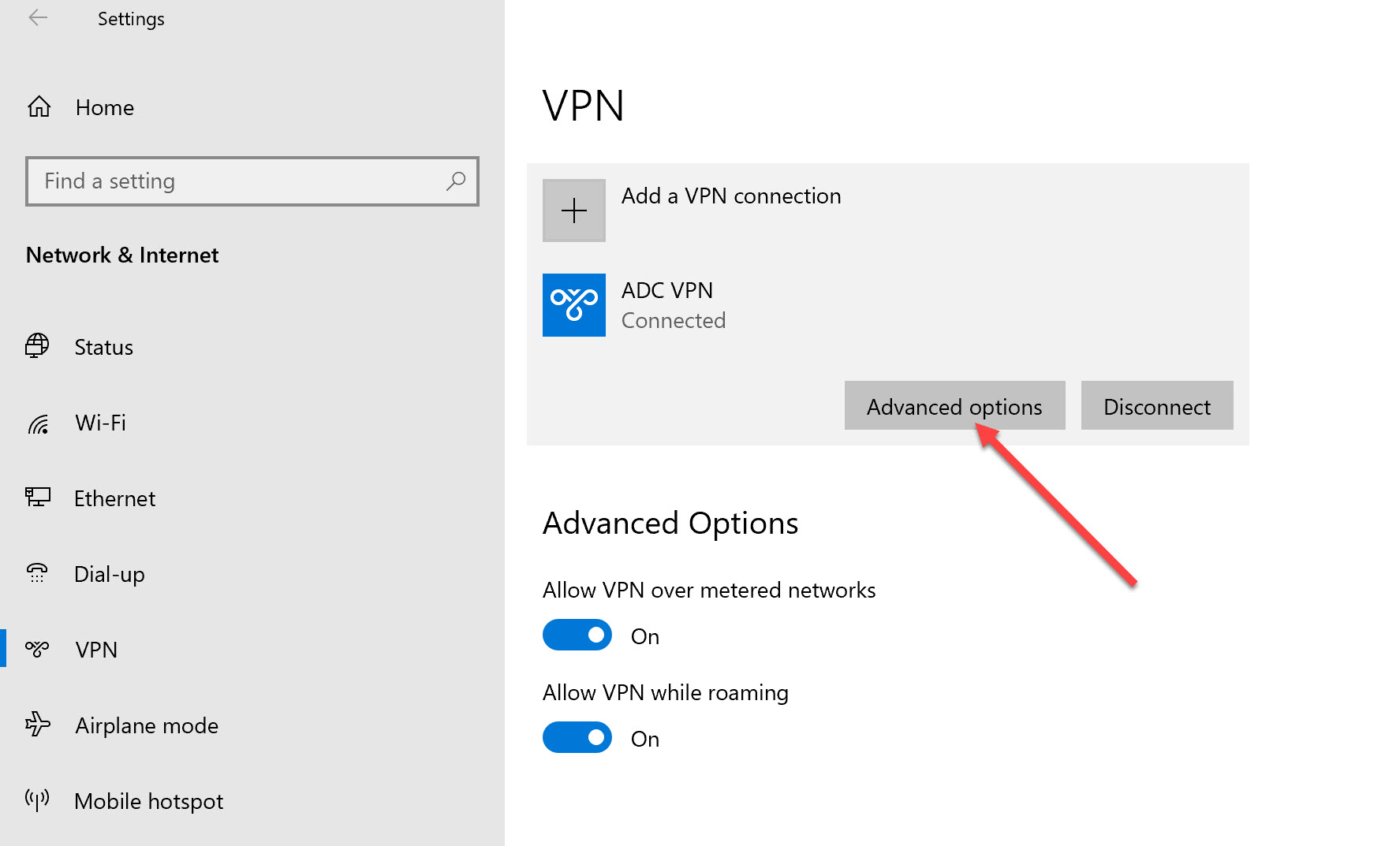
Go to Settings > VPN > Click on Advanced options and follow the screenshot instructions
REPRINT A DAFM03R instructions
1. Navigate to 32 Screen
2. Enter Arch Ref number from RT ticket.
3. Change printer ID to NY6L
4. hit F12 and look for output in BOX 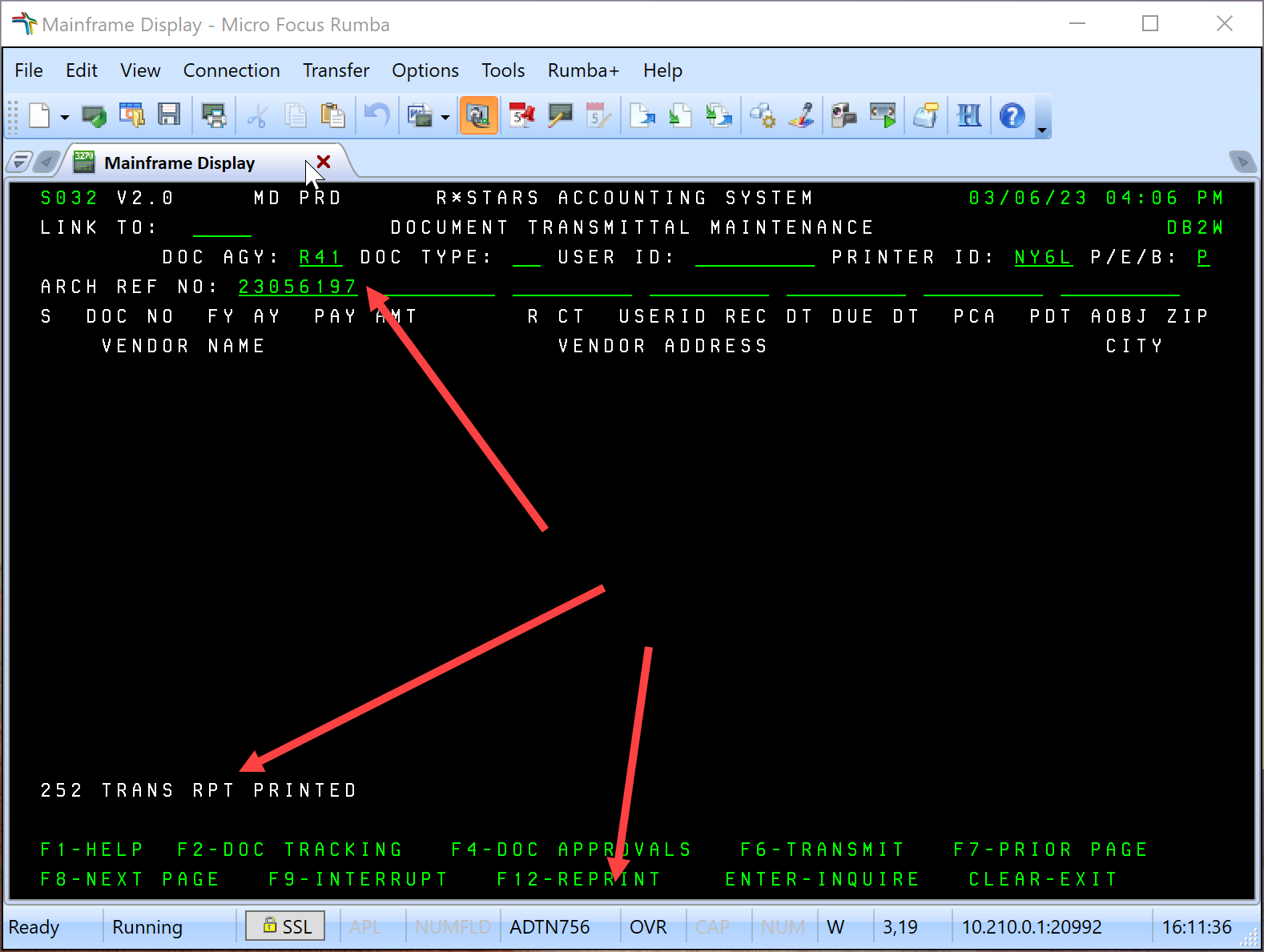
Rstars Info for AP (Doc from Linda)
Accounting Procedures Manual (From State)
RStars Documents in BOX
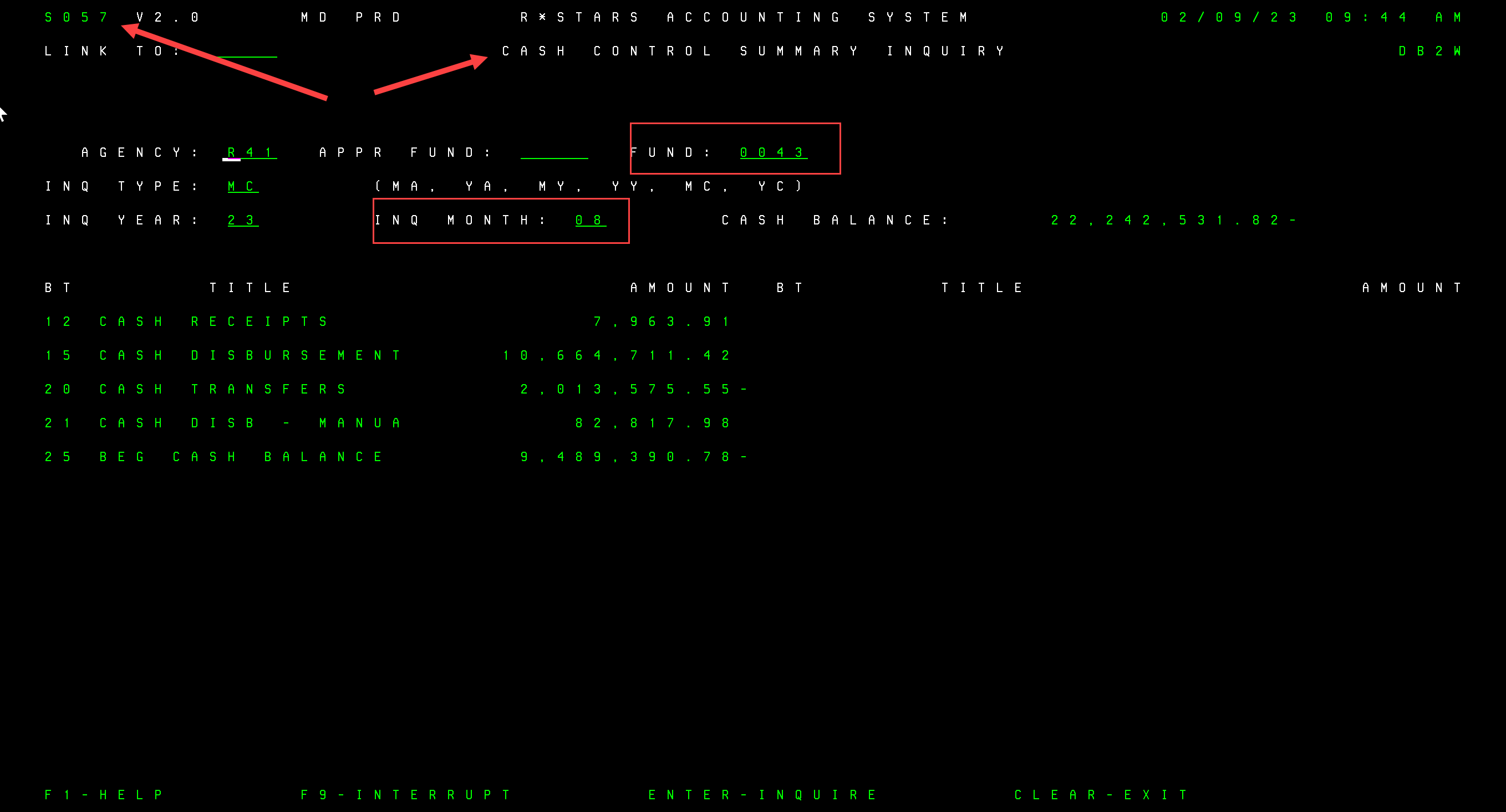
Screen 57 – Cash balances for a fund
Screen 44- Look up Payment status

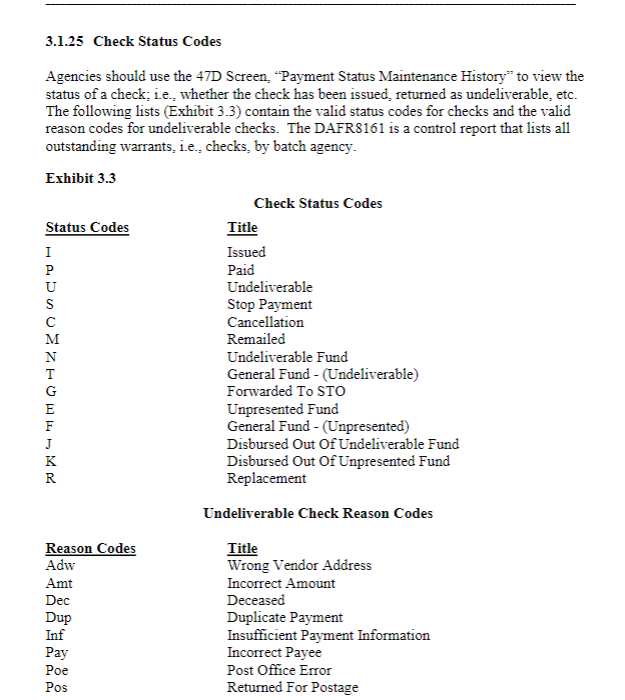 Page 55 from the Accounting Procedures Manual